NBK is a continuous wash column: the wash is fed by a pump constantly, while Samovar controls the power, the feed and the transitions between stages. Below are a description of the mode and the sequence of actions in the Samovar web interface.
Do not start by switching on the heating. First check the pump, the sensors, the cooling and the program without a power load.
The NBK program always consists of four lines - stages that go in order:
Warm-up (H) («Прогрев»). Samovar switches on the power and the feed from line H and waits until the vapor temperature reaches 75 °C. Then it moves on to Setup by itself.
Setup (S) («Настройка»). A manual stage with no time limit: Samovar sets the power and the feed from line S, and from then on the operator changes them. To go further, use the "Next" («Далее») button.
Optimization (O) («Оптимизация»). An automatic search for the working point: Samovar changes the feed and the power in steps, waiting the "Inertia" («Инерция») time after each change, and remembers the optimal values it finds, Mo («Мо») (power) and Po («По») (feed). It requires a level sensor in the head, enabled when the firmware is built.
Operation (W) («Работа»). Samovar holds the working point it found and gradually adjusts the feed according to the stillage and vapor temperatures and the pressure. Manual control of the power and the feed is locked at this stage.
The current stage is shown in the status of the main page, for example "Prg no. 2; Setup" («Прг №2; Настройка»). At any stage other than Setup, when the vapor temperature is above 98 °C, Samovar considers that the wash has run out and ends the program with the message "The wash has run out. The NBK program is finished." («Кончилась брага. Программа НБК завершена.») At the end, statistics are shown: how many liters of wash were processed, the average rate and the session time.
Flooding. Flooding is indicated by the level sensor in the head (DZ) or by the pressure in the stillage drain (DD) rising above the "Flooding pressure" («Давление захлёба») threshold. At Setup, Samovar reduces the feed to 1/3 and the power to 1/2 and reports it; at Optimization, until the optimum is found, flooding stops the process, and after that it switches to Operation; in Operation, Samovar holds a pause (two "Inertia" times) at reduced power and feed, then continues with reduced Mo and Po. If "Switch the flow with the servo on flooding" («Переключать поток сервоприводом при захлёбе») is enabled in the settings, then during flooding the servo moves the flow to position 1 (dirty product) and returns it to position 0 after the pause.
Cooling. The water valve and the cooling pump switch on when the boiler (stillage) temperature reaches 77 °C and run until the heating is switched off; they close when the water has cooled to 20° below the water sensor setpoint (
Settings - Temperature) or the boiler has cooled. If the TCA sensor heats up to 60 °C or the water to 75 °C and stays that way for 60 seconds, Samovar stops the process with the message "Insufficient cooling! Stop." («Недостаточное охлаждение! Останов.»)
Diagram. In the center of the main window is a picture of the column with live readings: the wash pump with the current feed in L/h, the wash, vapor, water and TCA temperatures, the pressure in the boiler, the product and the stillage drain. The pump rotor spins while the feed is running with the heating on, the heating element is highlighted during heating, the product jar and drops are shown while running, and a pause icon appears on the diagram during a pause. The same diagram is in the apps and on the website (
Mobile apps and website).
Main window of the operating mode
Main window of NBK mode at the Setup («Настройка») stage
 Turn on heatingStarts the NBK program from the Warm-up stage. While running, the button is called "Turn off heating" («Выключить нагрев») and stops the process normally.
|
 NextGoes to the next stage: from Setup to Optimization, skipping Optimization (in the first 30 seconds), resuming Operation from safe standby.
|
 RateThe wash feed, L/h. Enter a value and press "Set feed" («Установить подачу»). The "--" and "++" buttons change the feed by one "Feed step" from the settings. Available only with the heating on at Warm-up and Setup.
|
 RegulatorThe current and target voltage (power). Manual setting works at Warm-up and Setup; it is locked at Optimization and in Operation.
|
 PressureThe pressure in the stillage drain from the DD sensor. Exceeding the "Flooding pressure" threshold from the settings is considered flooding.
|
1. Check that the mode is available
The firmware must be built with power regulator control. For PlatformIO, suitable environments are Samovar (KVIC), Samovar_rmvk, Samovar_sem or a properly configured Samovar_s3. In the Samovar_no_power build NBK does not start: Samovar will answer "NBK start rejected: the power regulator is not available in this build." («Запуск НБК отклонён: регулятор мощности недоступен в этой сборке.»)
On the main page, press Settings («Настройки»). On the Main («Основные») tab, in the Operating mode («Режим работы») field choose Continuous wash column («Непрерывная бражная колонна»).
Press Save («Сохранить») at the bottom of the page. After saving, open the main page: the NBK mode («Режим НБК») page should appear.
2. What must be connected
A controllable power regulator, chosen when the firmware was built. Test it with a manual command on a safe load.
An external I2CStepper pump for feeding the wash. It must be shown on the NBK page and accept commands. For connection, see the section
I2CStepper.
The vapor sensor is required for Warm-up, Optimization and Operation. The stillage sensor is assigned in Samovar as the boiler sensor and is required for Optimization and Operation. A sensor assigned as the column section sensor is shown on the page as Wash («Брага»).
Cooling: water must flow freely through the condenser, and the valve and the cooling pump must switch on in the right direction. Check them before feeding the wash.
Flooding protection: the level sensor in the head (DZ) and/or the pressure sensor in the stillage drain (DD). Physically check that the sensor triggers before a hot start. If DZ is enabled in the firmware, Samovar considers it available and cannot tell that the sensor itself is not connected; so the absence of a warning does not prove that the protection works. If there is no sensor at all, at startup Samovar warns: "Attention: there is no flooding sensor at all (DZ is off, DD does not respond). Flooding protection does not work." («Внимание: нет ни одного датчика захлёба (ДЗ выключен, ДД не отвечает). Защита от захлёба не работает.») Automatic Optimization requires the level sensor in the head to be enabled at build time.
Before the first hot start, open the NBK page and make sure that the temperatures are not zero and do not show an obvious error, that the DD pressure is displayed if it is present, and that the I2C pump has the "connected" («подключён») state.
3. Calibrate the wash feed pump
The calibration tells Samovar how many motor steps are needed to deliver one milliliter. Without it you cannot set the rate in liters per hour correctly.
Open the I2CStepper page (a button on the main page); if there are several boards, choose the pump in the "Device" («Устройство») list and press External pump calibration («Калибровка внешнего насоса»).
Put the inlet hose in water and point the outlet into a measuring container.
Set a small, stable motor speed and press Start calibration («Начать калибровку»).
When the measuring container holds exactly 100 mL, press Capture 100 mL («Зафиксировать 100 мл»).
Samovar will calculate the steps per milliliter and write them into the board's memory. On the Settings → I2CStepper tab, check that the Steps/mL («Шагов/мл») field is greater than zero. Repeat the calibration after changing the driver microstepping, the motor, the pump head or the tubing.
4. Fill in the NBK settings
Open
Settings → NBK. For the first start you can leave the factory values, and then refine them for your column:
Inertia - 180 s. This is the waiting time after changing the power or the feed. If your column takes longer to reach a new stable state, enter the time you actually measured.
Delta - 0.5 °C. The permitted deviation of the stillage temperature from the reference temperature.
Power step - 100. By this many watts the automation changes the internal calculated power while searching for the mode.
Feed step - 0.5 L/h. The feed changes by this much during Optimization and with the "--"/"++" buttons; in Operation the normal correction is one tenth of this step.
Vapor T - 81 °C. The lower limit of the vapor temperature for the algorithm. The permitted value in the firmware: above 80 and no higher than 97 °C.
Flooding pressure - 40 mm Hg. The DD trigger threshold. Refine it by the actual flooding of your own column, not by someone else's unit.
Finish T (stillage) - 98.5 °C. The reference temperature of the stripped stillage. At the first iteration of Optimization, Samovar may raise it according to the sensor, but not above 102 °C.
Then open the Other («Прочие») tab and enter the heating element resistance and the mains voltage correctly. These two values are needed to calculate the maximum power; if one is empty or wrong, the start will be rejected with the message "NBK start rejected: incorrect setting - …" («Запуск НБК отклонён: некорректная настройка - …»). Press Save.
5. Prepare the four program lines
The "Program" («Программа») tab of NBK mode: four fixed lines
RateThe wash feed at the stage, L/h. For Warm-up and Setup it must be greater than zero; for Optimization and Operation zero means "take the current or found value".
|
Voltage / PowerThe heating power at the stage: volts for KVIC and RMV-K, watts for SEM_AVR. For Warm-up zero means the maximum calculated power; for Setup a non-zero value is required.
|
Open the NBK mode page, then the Program («Программа») tab. The program must have exactly four stages: Warm-up → Setup → Optimization → Operation. In text form these are the lines H;rate;power, S;…, O;…, W;…; any other set or order of lines is not accepted.
In the Warm-up (H) line, set a non-zero feed. If the power is zero, Samovar uses the calculated maximum power. Warm-up ends automatically at a vapor temperature of 75 °C.
In the Setup (S) line, be sure to set a non-zero feed rate and power. Start with safe values recommended by the manufacturer of your NBK and regulator.
In the Optimization (O) and Operation (W) lines, zeros mean using the values found at Setup or Optimization. If you skip automatic Optimization, set non-zero rate and power in line W in advance.
Press Set program («Установить программу»). Make sure the values stayed in the four lines and no format error message appeared.
The power units depend on the regulator: for SEM_AVR the field is set in watts, for KVIC and RMV-K - in volts; the column header on the tab changes accordingly. The rate in all lines is set in liters per hour. Do not copy someone else's power values without checking your own heating element and regulator.
Fill the steam generator, make sure the stillage can drain, put the pump inlet into the prepared wash and open the path for the cooling water. Check that the hoses are not pinched.
On the NBK mode tab, check the temperatures, the pressure and the pump state once more.
Press Turn on heating («Включить нагрев»). Samovar will report "Starting NBK program. Warm-up" («Запуск программы НБК. Прогрев»), and the status will change to Warm-up. Samovar will switch on the power and the feed from line H.
Do not walk away from the unit. Check that the liquid is actually moving, that there are no leaks, that the stillage drains normally and that the cooling works. At 75 °C on the vapor sensor, Samovar will move on to the Setup stage by itself.
After the transition to Setup, wait at least one Inertia time so that the temperatures and the output have time to settle.
Change only one parameter at a time. Enter the power in the "Regulator voltage" («Напряжение регулятора») field and press Set voltage («Установить напряжение») (for SEM_AVR - Set power («Установить мощность»)); enter the rate in the Rate («Скорость») field of the "Wash feed" («Подача браги») block and press Set feed («Установить подачу»). The -- and ++ buttons change the feed by one "Feed step".
After each change, again wait at least one Inertia time. Watch the vapor temperature, the stillage temperature, the pressure, a steady stillage drain and the absence of flooding.
If flooding occurs, Samovar reports its source and reduces the actual feed to one third and the power to one half. Do not raise the parameters back right away; wait until the signs of flooding disappear and find the cause.
If the vapor temperature at Setup stays at 100 °C or above for 60 seconds, Samovar stops the process: the steam generator may be running dry.
When the mode has become stable, open the Additional («Дополнительно») tab and press Set as optimal («Установить как оптимальные»). Then go back to the main tab and press Next.
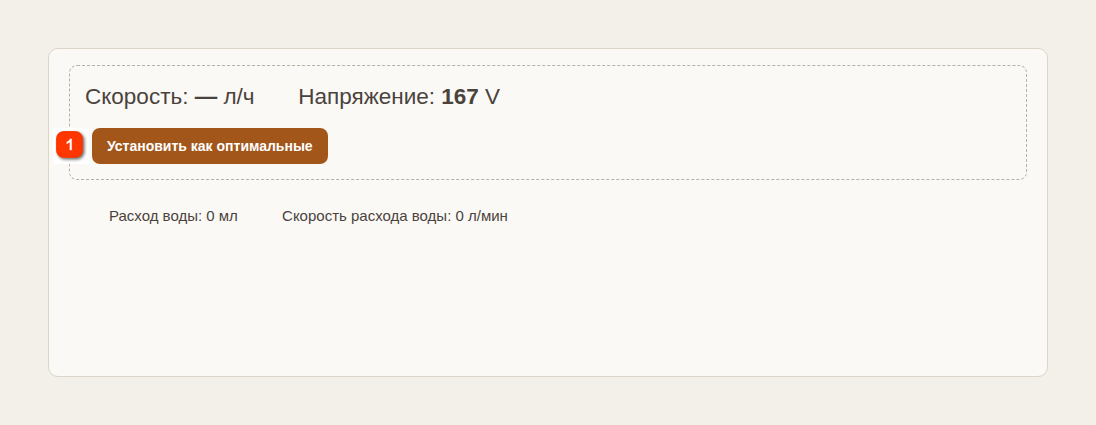
The "Additional" («Дополнительно») tab of NBK mode
Set as optimalRemembers the current power and the actual feed as Mo and Po. Works only at Setup and in Operation.
|
8. Go through Optimization
After entering Optimization, there are 30 seconds during which you can skip it with the Next button. If you press nothing and the level sensor in the head is enabled, Samovar starts an automatic search for the working point from the power and the feed of line O (if they are zeros - from the current ones).
If the stillage and vapor temperatures are not below the set limits, Samovar remembers the current values as optimal and increases the feed by one "Feed step".
If the temperatures are below the limits, Samovar decreases the feed by one step and increases the power by one "Power step". After each change it waits the Inertia time.
After the optimum is found, the automation moves to Operation on flooding, on reaching the working pressure ceiling or another search limit (limit feed 30 L/h, limit power). The message "Optimization complete…" («Оптимизация завершена…») will give Mo - the power found and Po - the feed found; before Operation, Samovar holds a pause of two Inertia times at reduced power and feed.
If the level sensor in the head is not enabled in the firmware, automatic Optimization will not start. Samovar will report "Optimization is impossible - there is no flooding sensor…" («Оптимизация невозможна - отсутствует датчик захлёба…»). So the non-zero power and rate of line W must be set and saved before pressing "Turn on heating". When Samovar moves to Optimization and shows the message, press Next. The program cannot be changed while the process is active. If you did not prepare line W in advance, turn the heating off, wait for it to stop, fix the program and start again. Do not leave the unit waiting: after 10 minutes Samovar goes into safe standby with the heating and the feed switched off.
At the Operation stage, manual setting of the power and the feed is locked: the algorithm controls them (the message "Manual control is not available at Optimization and in NBK Operation." («Ручное управление недоступно на Оптимизации и в Работе НБК.»)). To change the working point, first stop the process normally, fix the program or the settings and start again.
If the stillage or vapor temperature drops below the set limit, Samovar gradually reduces the feed. If the stillage temperature drops sharply (a wash spill), the feed is reduced at once by the full "Feed step".
If the pressure stays near the working ceiling, the feed is reduced. If the stillage temperature is steadily above the reference one, the feed may gradually grow, but not above the optimal value found.
On flooding, Samovar temporarily reduces the feed and the heating, holds a pause and then continues with reduced optimal values. Do not interfere until the pause is over, unless there are signs of a dangerous situation.
The Set as optimal button on the "Additional" tab also works in Operation: it replaces Mo and Po with the current power and the actual feed.
If the vapor temperature rises above 98 °C, Samovar considers that the wash has run out and ends the program normally.
10. How to stop the process and what to do on a message
For a normal stop, press the button that is called Turn off heating («Выключить нагрев») while running, and confirm the action. Wait for the feed to reach zero and the heating to switch off on the page. Samovar will report "NBK operation finished" («Работа НБК завершена»).
The message Safe standby («Безопасное ожидание») means that Samovar has already stopped the pump and the heating. First eliminate the stated cause. At the Operation stage, resuming is done with the Next button; at Warm-up, Setup or Optimization this button ends the session, after which a new start is needed.
On messages about insufficient cooling, a pressure sensor failure ("No readings for more than 60 seconds" («Нет показаний более 60 секунд»)), or an unconfirmed pump or regulator command, do not try to continue the process until the cause is eliminated.
After the end, wait for the temperature to drop and the cooling to switch off normally. Only then shut off the water, take apart hot connections or de-energize the equipment.
Quick check before every start
NBK mode is selected, the settings are saved.
The I2CStepper pump is connected, calibrated and pumps in the right direction.
The vapor and stillage sensors show plausible temperatures; DZ/DD are checked.
The cooling is open and working; the stillage drain is clear.
The program has four lines H, S, O, W; H has a feed, S has a feed and a power.
The heating element resistance and the mains voltage are filled in correctly.
The operator stays next to the unit until stable Operation is reached.


